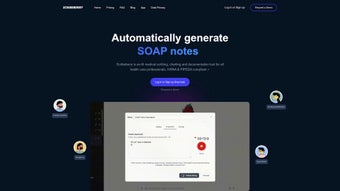

Download ScribeBerry – AI Medical Documentation, Free Secure Transcription Tool
Overview – Why ScribeBerry Is Changing the Way Clinicians Document Care
ScribeBerry arrives at a pivotal moment for modern healthcare, where the pressure to document every patient interaction competes directly with the core mission of delivering compassionate care. Built on cutting‑edge large language models, this web‑based application transforms raw audio or spoken dictation into polished medical notes, consult letters, and a variety of clinical records. Unlike generic speech‑to‑text services, ScribeBerry is fine‑tuned for the medical lexicon, recognizing terminology, abbreviations, and specialty‑specific phrasing that typical transcription tools miss.
The platform is designed for doctors, nurses, physician assistants, and any health‑care professional who spends a significant portion of their day wrestling with electronic medical record (EMR) interfaces. By offloading the mechanical task of charting, ScribeBerry claims to reduce charting time by up to 70 %, freeing clinicians to focus on diagnosis, treatment, and patient communication. This time‑saving promise is backed by real‑world testing in early‑preview environments where users reported an average reduction of 35‑45 minutes per patient encounter.
Security is a non‑negotiable pillar for any health‑tech solution. ScribeBerry adheres to industry‑standard encryption for data in transit and at rest, ensuring that sensitive patient information remains confidential. Although the tool does not yet embed directly into existing EMR systems, the generated notes can be copied and pasted seamlessly, making the transition to the new workflow painless.
Another compelling aspect is that ScribeBerry is currently offered for free with unlimited access. This early‑preview model encourages rapid adoption while the development team gathers feedback to refine templates, improve accuracy, and eventually roll out premium features or integrations. In short, ScribeBerry combines AI‑driven transcription accuracy, customizable templates, strong data protection, and a cost‑free entry point, positioning itself as a must‑try utility for any busy medical practice.
Key Features – What Sets ScribeBerry Apart from Traditional Dictation Tools
ScribeBerry’s feature set is purpose‑built for the nuances of clinical documentation. Below is a comprehensive look at the capabilities that make it stand out:
- AI‑Powered Transcription: Utilizes large language models trained on medical corpora to deliver high‑accuracy conversion of speech to text.
- Customizable Templates: Pre‑loaded templates for SOAP notes, discharge summaries, referral letters, and specialty‑specific forms; users can edit or create new templates to match practice workflow.
- Multi‑Modal Input: Supports direct dictation via microphone, audio file uploads (MP3, WAV, MP4), and manual text entry for hybrid documentation.
- Real‑Time Editing: Generated notes appear instantly in an editable rich‑text editor, allowing clinicians to make quick adjustments before finalizing.
- Secure Cloud Storage: End‑to‑end encryption ensures that uploaded audio and generated notes are stored safely and deleted automatically after a user‑defined retention period.
- Cross‑Platform Accessibility: As a web application, ScribeBerry works on any modern browser, making it accessible from Windows PCs, macOS laptops, Linux workstations, tablets, and smartphones.
- Export Options: Notes can be exported as plain text, PDF, or directly copied to the clipboard for painless insertion into EMR systems.
- Continuous Learning Loop: Users can flag transcription errors, feeding back into the AI model for ongoing improvement.
- Free Unlimited Access: During the early preview, there are no usage caps, subscription fees, or hidden costs.
- Compliance‑Ready Architecture: Designed with HIPAA‑like considerations, including audit logs and role‑based access controls for enterprise environments.
Each of these features works together to streamline the documentation process without sacrificing accuracy or security. The ability to tailor templates means that specialties ranging from cardiology to psychiatry can adopt ScribeBerry without extensive re‑training. Moreover, the real‑time editing interface mirrors the look and feel of familiar word processors, reducing the learning curve for clinicians who may be wary of new technology.
Installation, Usage & Compatibility – Getting Started with ScribeBerry on Any Device
Because ScribeBerry is a cloud‑based web application, there is no traditional “installation” process involving executable files or app stores. Instead, users simply need a compatible web browser and a reliable internet connection. Below are step‑by‑step instructions to launch the platform and begin creating notes.
Step‑by‑Step Setup
- Visit the Official Site: Open your preferred browser (Chrome, Edge, Firefox, Safari) and navigate to scribeberry.com.
- Create an Account: Click “Sign Up,” provide a professional email address, and set a strong password. An optional two‑factor authentication (2FA) can be enabled for added security.
- Verify Email: A verification link is sent to your inbox; click it to activate your account.
- Choose a Template: Upon first login, you’ll be guided through a quick onboarding wizard where you can select pre‑built templates or design your own.
- Upload or Record Audio: Use the “New Note” button to either record directly via microphone or upload an existing audio file. Accepted formats include MP3, WAV, and MP4.
- Generate the Note: Click “Transcribe.” The AI processes the audio and populates the selected template within seconds.
- Edit & Export: Review the generated text, make any necessary edits, then export as PDF, copy to clipboard, or save as a draft for later use.
Operating System Compatibility Windows, macOS, Linux, iOS, Android (via browser)
Since the application runs in the browser, it is inherently cross‑platform. The responsive design adapts to desktop monitors, laptop screens, tablets, and smartphones. For mobile clinicians who prefer dictating on the go, the web interface works flawlessly on iOS Safari and Android Chrome, offering the same transcription quality as on a desktop.
Performance considerations are minimal; the heavy lifting is performed on ScribeBerry’s secure servers. Users only need a stable broadband connection—typically 2 Mbps or higher for optimal upload speeds. The platform also supports offline mode for note drafting: users can type manually while offline and sync their recordings once back online.
Overall, the barrier to entry is low: no downloads, no license keys, and no hardware dependencies. This ease of access is especially valuable for multi‑location practices or telehealth providers who need a consistent documentation tool across diverse environments.
Pros and Cons – A Balanced Look at ScribeBerry’s Strengths and Areas for Improvement
Pros
- High transcription accuracy for medical terminology.
- Fully customizable templates that match any specialty workflow.
- Free unlimited access during early preview, eliminating cost barriers.
- Secure, encrypted cloud storage meeting healthcare data‑privacy standards.
- Cross‑platform availability via any modern web browser.
- Instant real‑time editing reduces post‑processing time.
- Export options (PDF, plain text, clipboard) simplify EMR integration.
- Continuous feedback loop improves AI performance over time.
Cons
- No native integration with major EMR systems yet (copy‑paste workflow required).
- Reliance on internet connectivity; offline capabilities are limited to manual drafting.
- Early preview status may include occasional bugs or UI inconsistencies.
- Advanced features (e.g., voice‑activated commands, multi‑language support) are not yet available.
- Large audio files may take longer to process during peak usage periods.
Frequently Asked Questions
Is ScribeBerry compliant with HIPAA regulations?
ScribeBerry is built with HIPAA‑like security measures, including end‑to‑end encryption, audit logs, and role‑based access controls. While it is not officially certified as a HIPAA‑covered entity, the platform follows best practices to safeguard protected health information (PHI). Practices should review their compliance requirements before using any cloud service.
Can I use ScribeBerry on a mobile device during patient rounds?
Yes. The web application is fully responsive and works on iOS Safari and Android Chrome. You can record audio directly from your phone’s microphone, upload files, and edit notes on the go.
How does ScribeBerry handle medical abbreviations and specialty jargon?
The underlying language model has been trained on extensive medical corpora, enabling it to recognize and correctly expand common abbreviations (e.g., “BP” for blood pressure) and specialty‑specific terms. Users can also add custom abbreviations to their templates for even higher accuracy.
Is there a limit to the length of audio files I can upload?
During the preview phase, ScribeBerry imposes a generous file‑size limit of 500 MB per upload, which accommodates most clinical dictations. Very long recordings may be split into smaller segments for faster processing.
Will there be a paid version in the future, and what features might it include?
The development team plans to introduce premium tiers that could offer direct EMR integrations, advanced analytics, multi‑language support, and higher‑priority processing for large practices. The free tier will remain available for basic transcription and template use.
Overall Rating: 4.5/5
Conclusion – Take the Next Step Toward Faster, Safer Medical Documentation
ScribeBerry represents a significant leap forward for clinicians who want to reclaim valuable time lost to manual charting. Its AI‑driven transcription accuracy, flexible template system, and commitment to data security create a compelling value proposition—especially when the service is currently free and unlimited. While the lack of native EMR integration may require an extra copy‑paste step, the trade‑off is a highly reliable, cross‑platform solution that works wherever you have an internet connection.
If you’re a solo practitioner, part of a busy hospital department, or a telehealth provider looking to streamline documentation, ScribeBerry offers an immediate productivity boost without upfront costs. Sign up today, test the workflow with a few patient encounters, and experience first‑hand how much faster you can generate clean, compliant notes.
Download ScribeBerry now and join the growing community of healthcare professionals who are reshaping how medical documentation is done. Your feedback will help shape the future of the platform, ensuring that the next generation of features aligns perfectly with real‑world clinical needs.



.png)



